📞 720.836.7201 ✉ info@onterrasystems.com | ⭐ Trusted Partner: Bing Maps · Azure Maps · HERE Technologies

Truck Navigation App & Truck Routing Software for Your Fleet

Need a truck navigation app your drivers can use this week, or commercial truck routing software inside your own app? OnTerra licenses HERE WeGo Pro, a ready-made truck navigation app, and builds custom truck navigation on the HERE SDK. Both give truck-safe, truck-legal routing around low bridges, weight limits and hazmat restrictions for each vehicle you drive.

Hazmat-aware routing Free evaluation, typically 2–4 weeks Truck data in 75+ countries Works offline
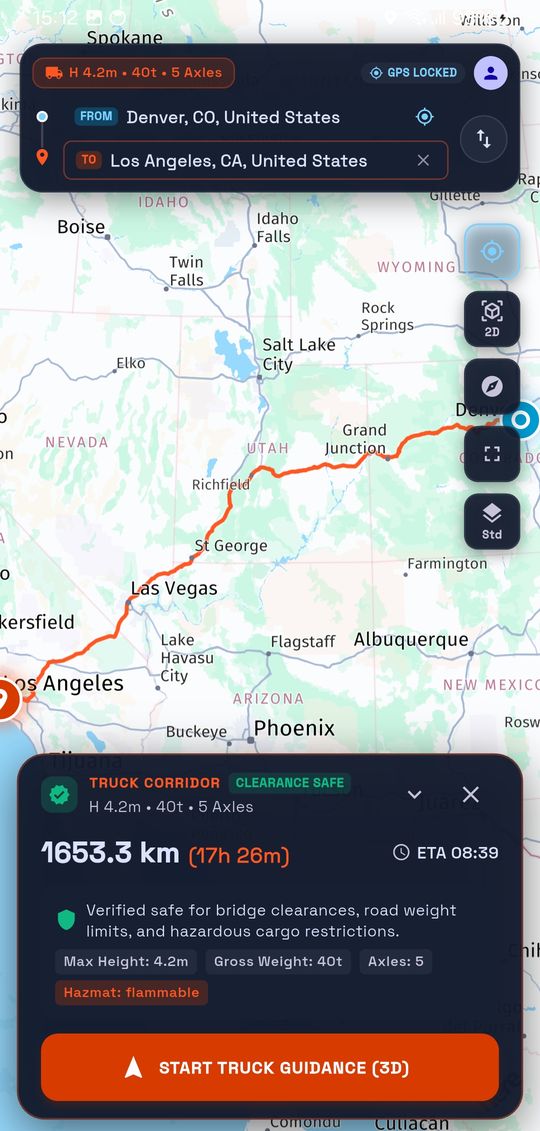
Custom truck navigation app showing a Denver to Los Angeles truck route, marked clearance safe for a 5-axle, 40-tonne vehicle carrying flammable hazmat

Truck-safe routing for fleets that can’t afford a wrong turn

Switching appsFleets on Sygic or CoPilot

Move to HERE truck routing and map data. Run WeGo Pro side by side with your current app during a free evaluation before you switch.

Your own driver appSoftware teams and ISVs

Add turn-by-turn truck navigation to the app your drivers already use. OnTerra builds it on the HERE SDK, with your branding and your workflow.

License a truck navigation app, or have us build yours

Both run on HERE map data and truck attributes. The difference is whether your drivers use HERE’s app or yours.

Ready in days

HERE WeGo Pro license

  • Truck-legal routing by height, weight, axles and hazmat class, including low bridge avoidance
  • Restriction alerts and truck map layers
  • Multi-stop routes from imported tour plans
  • Offline maps for areas with weak coverage
  • Live vehicle tracking with HERE Tracking (beta)
  • Rolls out to drivers with an activation link, QR code or MDM
  • Deep links start navigation from your dispatch app
Drivers install the standard HERE WeGo app and unlock Pro features with an activation link.

Start a Free Evaluation
Your app, your brand

HERE SDK + OnTerra development

  • Truck navigation embedded in your Android or iOS app
  • Vehicle profiles, hazmat classes and tunnel restrictions
  • On-device routing and rerouting when offline (HERE SDK Navigate edition)
  • Lane guidance, truck speed limits and 3D guidance view
  • Connected to your dispatch, TMS or telematics
  • Designed, built and supported by OnTerra

Optional add-on

Need route optimization too? Add RouteSavvy API PLUS to sequence each driver’s stops inside the same app, then hand the optimized route straight to truck guidance.

We scope each build in writing first: features and timeline.

Scope Your Custom App

HERE SDK navigation: what OnTerra can build

These screens come from a working Android prototype OnTerra built on the HERE SDK. Your app would carry your branding and the features your drivers need.

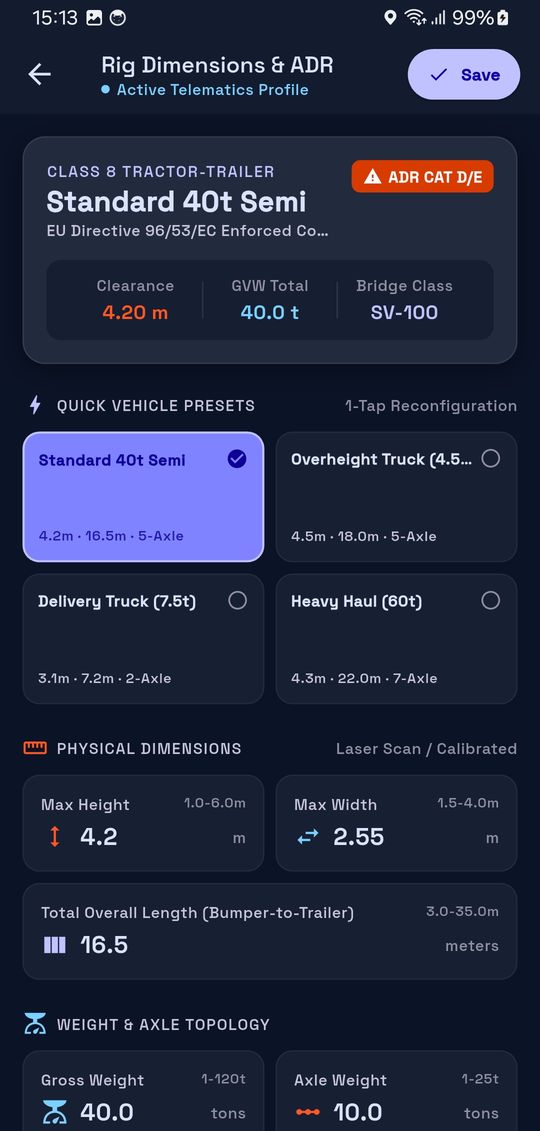
Rig profile screen with vehicle presets and physical dimensions: 4.2 m height, 2.55 m width, 16.5 m length

Vehicle profiles in one tap

Drivers pick a preset or enter height, width, length, gross weight, axle weight and axle count. Every route is calculated for that truck.

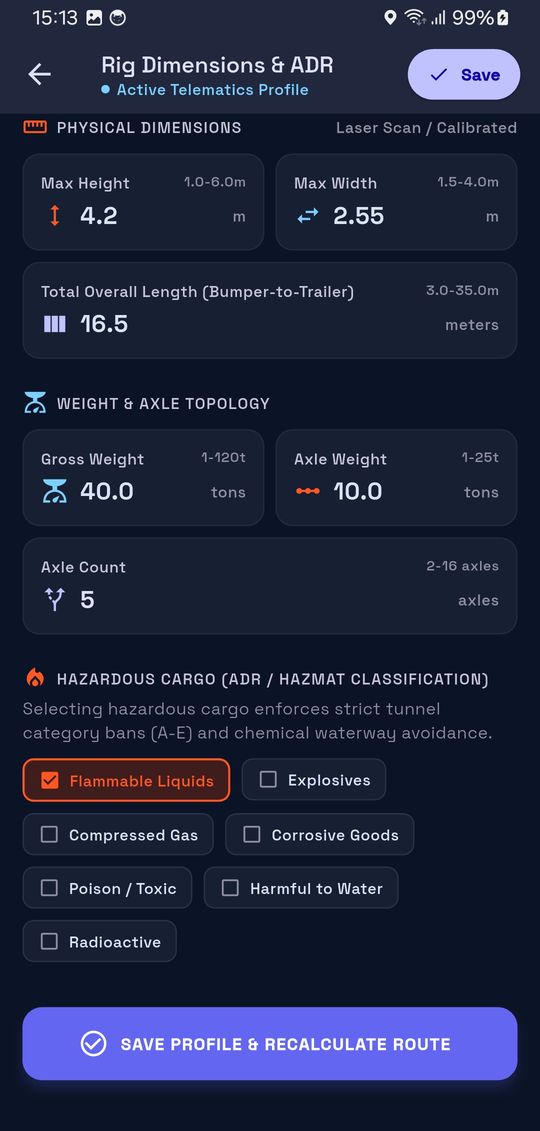
Hazardous cargo screen with flammable liquids selected among explosives, compressed gas, corrosive, toxic, harmful to water and radioactive

Hazmat-aware routing

Selecting a hazardous cargo class applies tunnel category restrictions and waterway avoidance, then recalculates the route.

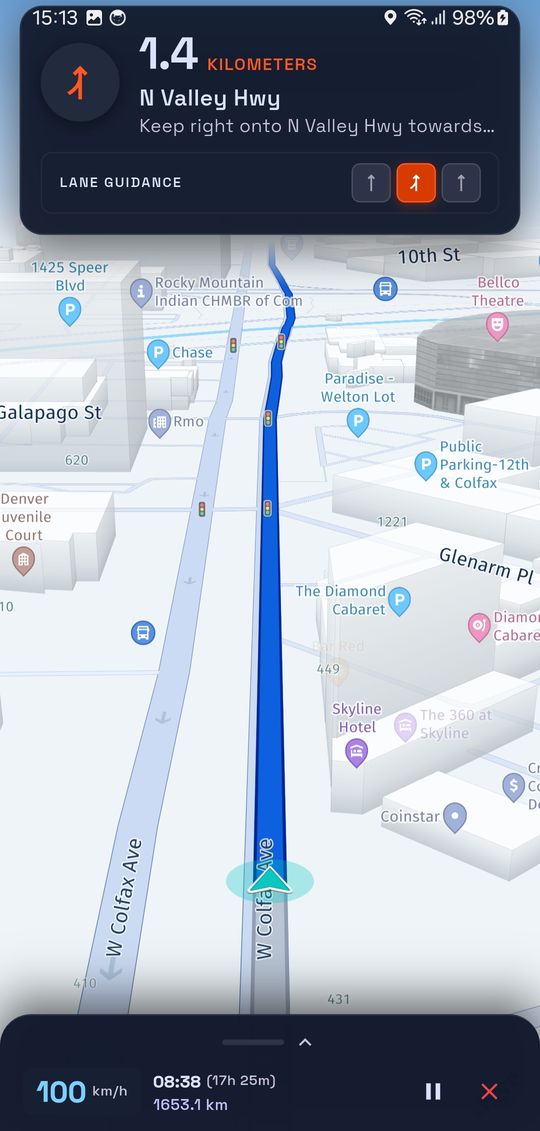
Turn-by-turn guidance in 3D with lane guidance highlighting the right lane onto N Valley Hwy

Turn-by-turn with lane guidance

3D guidance shows the right lane before each exit, with live ETA and remaining distance.

Prototype screens shown in metric units. Production apps can display miles, feet and pounds.

Looking for a Sygic or CoPilot alternative? How the options compare

FeatureHERE WeGo ProHERE SDK + OnTerraSygic Professional NavigationTrimble CoPilotGoogle Navigation SDK
What you getReady-made driver appNavigation inside your appApp, or SDKApp, or SDKSDK only
Time to deployDaysWeeks to monthsDays to weeksDays to weeksMonths of development
Map dataHEREHERETomTom and othersTrimbleGoogle
Truck routing by size and weightYesYesYesYesYes · lower 48 US states, selected customers, since Aug 2026
Hazmat routingYesYesYesYesPartial (no radioactive)
Restricted roadsAvoided for the vehicle profileAvoided for the vehicle profileAvoided for the vehicle profileAvoided for the vehicle profileBest effort; may cross restrictions
Offline navigationYesYesYesYesNo
Live vehicle trackingYes (beta)Built to your needsThrough fleet management partnersThrough telematics partnersThrough Fleet Engine

Based on each vendor’s public information as of November 2026. Features change; confirm with each vendor before you decide.

More than a license

OnTerra builds and supports mapping and routing software. We stay on the project after the license is signed.

Migration from Sygic or CoPilot

Evaluation plan, vehicle profile setup and a driver rollout that doesn’t stop deliveries.

Custom driver app builds

Truck navigation on the HERE SDK, built to your workflow and branded as your own.

Dispatch and TMS integration

Send routes, stops and truck parameters from the systems you already run.

Bing Maps migration

Moving off Bing Maps for Enterprise before it retires? We migrate maps, geocoding and routing too. Get the migration guide.

Frequently Asked Questions

What is truck-safe (truck-legal) routing?

Truck-safe routing plans each route for the specific vehicle: its height, width, length, weight, axle count and any hazardous cargo. It avoids low bridges, weight-limited roads, restricted tunnels and roads where trucks aren’t allowed. HERE WeGo Pro and apps built on the HERE SDK both use HERE’s truck attributes to do this.

Is HERE WeGo Pro a good Sygic or CoPilot alternative?

For many fleets, yes. WeGo Pro covers truck routing by vehicle profile, hazmat routing, offline maps and multi-stop routes on HERE map data. The simplest way to decide is a free evaluation, typically 2–4 weeks, running WeGo Pro alongside your current app.

Do drivers need a special app?

No. Drivers install the standard HERE WeGo app from the App Store or Google Play, then open an activation link or QR code to unlock the Pro features. IT teams can push activation keys through MDM.

Does the truck navigation app work without a cell signal?

Yes. Drivers can download maps ahead of time and keep navigating with no connection. Apps built on the HERE SDK Navigate edition can also calculate and recalculate truck routes on the device.

Does the truck navigation app handle hazmat routing?

Yes. You set hazardous cargo classes in the vehicle profile, and routes avoid roads and tunnels restricted for that cargo.

Which countries are covered?

HERE truck attributes cover more than 75 countries. We confirm coverage for your lanes during the evaluation.

Can HERE WeGo Pro start navigation from our own dispatch app?

Yes. WeGo Pro accepts deep links that pass destinations and truck parameters from your app. A custom HERE SDK app can connect to your systems directly.

We’re on Sygic today. How do we switch?

Start with a free WeGo Pro evaluation, typically 2–4 weeks, alongside your current app. We help set up vehicle profiles and plan the rollout so drivers switch on a date that suits your operation.

Put a truck-safe navigation app in your drivers’ hands

Try WeGo Pro free for 2–4 weeks, or tell us about the app you want to build.

Start a Free EvaluationScope Your Custom App

OnTerra Systems is an authorized HERE Technologies reseller. HERE and HERE WeGo are trademarks of HERE Global B.V. Sygic, Trimble CoPilot and Google are trademarks of their respective owners.

Comparisons as of November 2026.